


How to Increase CTR and Site Visits Using Schema Markup Schema.org FAQ (Question-Answer)?

Structured data has been gaining popularity in technical SEO lately and has become an important part of it, helping search crawlers identify thousands of data types and delivering better search results to users. Both search engines and their users like it when webmasters give them the opportunity to review the page before they go to it and see if it will really be useful. This is why microdata can significantly increase the traffic and conversions of your pages.
Today we will talk about the implementation of Schema.org FAQ (Question-Answer) markup and registration of its use in Google search results.
What is microdata and features of FAQ schema.org
If you don’t know what microdata is, just type this search term into Google and compare the search results. Some of them have a publication date, some have a preliminary rating in the form of stars. Prices, images, authors, links to related pages — all this can be seen thanks to microdata.
But before we get into the details, let's clarify a couple of terms. Micro markup is a way of marking up an HTML page that helps search engine crawlers recognize different kinds of information for use in searches. You mark the data type and the algorithm easily reads it to create a detailed extended code snippet.
The FAQ markup is designed for frequently asked questions pages that contain all the questions and answers on one «sheet». Adding such a block allowed us to create an extended result on the search engine results page for the site 4H.ae. About what exactly was done and how it looks — read on.
How does micro-markup of frequently asked questions improve your site's conversions?
It appears that Google now wants this type of markup and is encouraging websites that use it. Its implementation makes sense both for informative sites and businesses — online stores, service sites, business cards.
In our experience, and in our opinion, well-implemented extended snippets have proven again and again to actually increase a site’s CTR and click through rates. And if you don’t use them, we can bet your competitors will!

Advantages of Markup FAQ
So, what is the advantage of using FAQ markup?
In short, it allows you to visually distinguish your site from competitors in the SERP, due to which you can get more clicks from the user to your web pages from the search engine results. Here’s what an extended snippet with micro-markup of frequently asked questions looks like on one of our client’s sites:
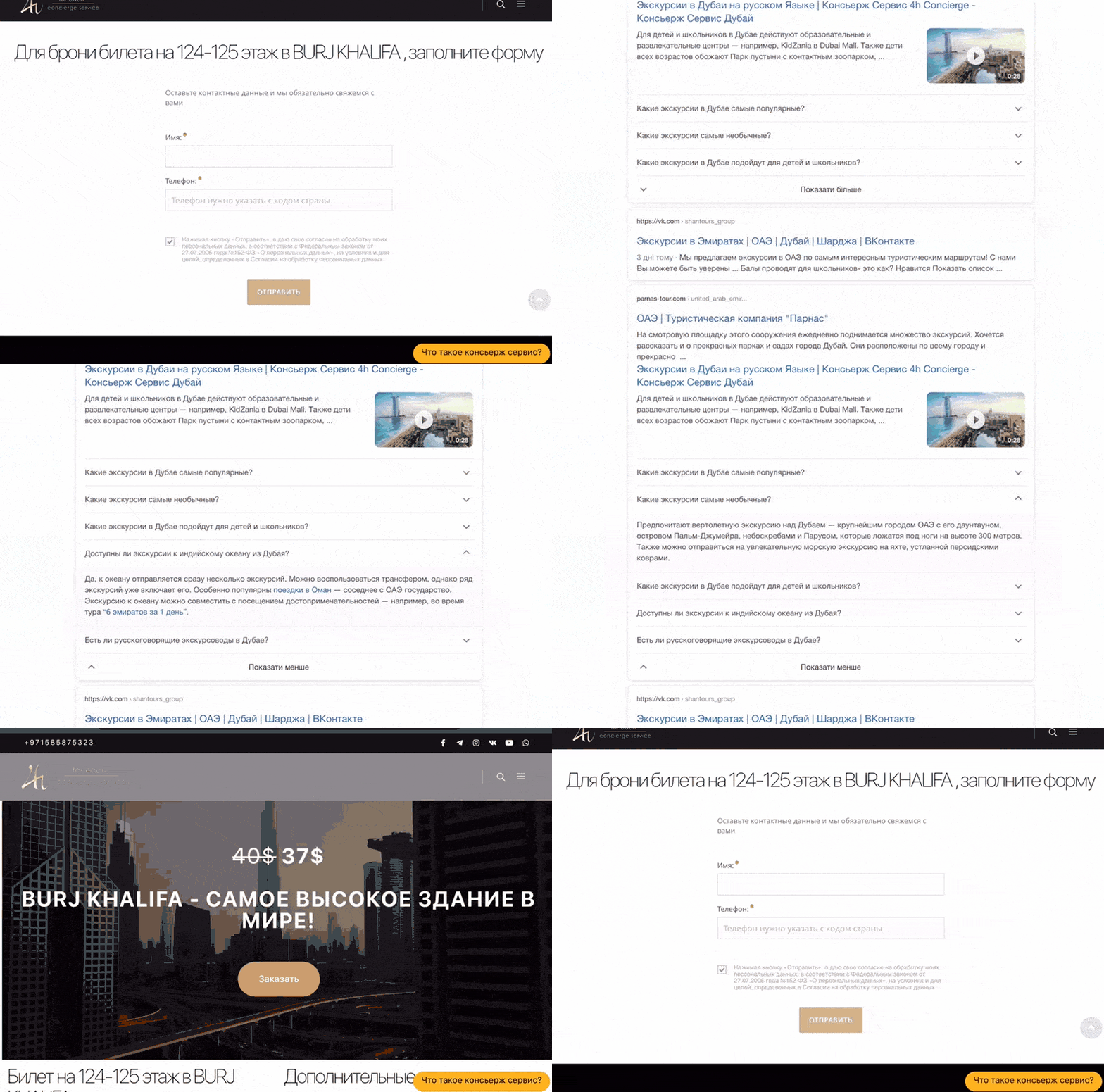
When you get more clicks, it automatically increases your website’s conversion rate. The Schema.org FAQ microdata integration allows you to add multiple questions with the keyword we are focusing on, as well as additional space for the answer in the form of FAQ tabs.
These question-based extended snippets have a 25%-30% higher CTR compared to non-question titles — when searching Google, everyone is looking for the answer to their question in the first place. In this case, the Google FAQ is a platform for absolutely any subject. We can implement such micro-markup literally on every page of the site in any niche — from an informative resource to an online store, product cards and even products.
How can you give a snippet a better CTR using FAQ microdata?
Marking up the Question-Answer on the 4H website, we immediately took care of placing links to the company’s services. Thus, the user can proceed directly from the search results to booking the excursion they are interested in.
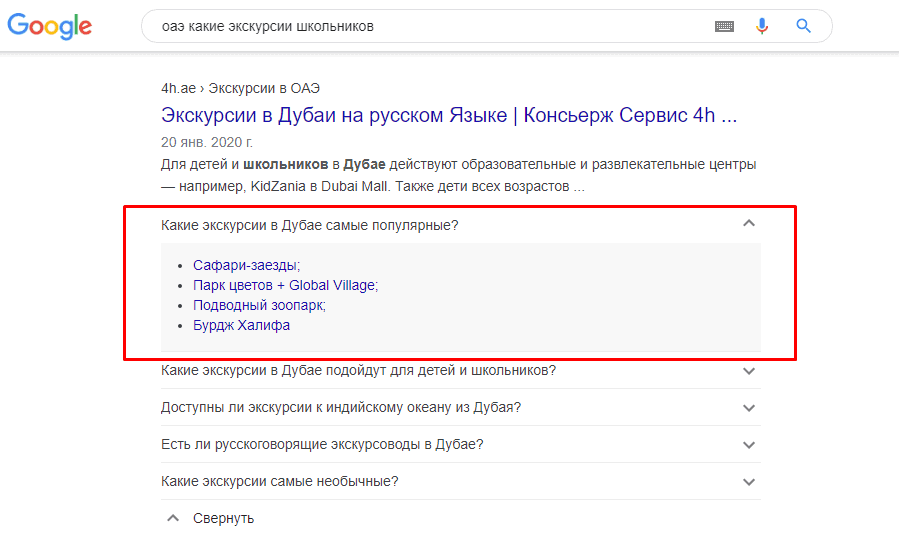
It is important to understand that if the user finds the answer they need in the frequently asked questions, they may be satisfied with it and not make the transition, which is bad for us. To increase the conversion, you need, on the contrary, to convince the user to go to your site. Here it is important to take care of the context and the content of the FAQ itself, to develop a whole strategy, predicting the user’s behavior after reading the information in the Question-Answer block. Only really frequently asked questions should be added, kept simple, short and to the point.
What issue should you cover?
Obviously, you need to cover relevant questions about your topic. You must answer the most common question that people ask on Google, and also that they address specifically to you or your managers. Don’t implement FAQs just for the sake of having them.
How many FAQs and FAQs can you use?
Google has been slow to share guidance on the number of FAQs. In general, the Google search results show a snippet with three FAQs, and the rest (if you have more than 3 of these blocks) will be displayed after clicking the «Show more» button. Thus, providing too much information is also not a good idea.
Any rules and regulations regarding the issuance of the FAQ in the snippet
Yes, there are those.
- Use the FAQ only if your page has a list of questions with answers. If your page has a single question and users can submit alternative answers, use QA markup instead;
- Do not use the FAQ markup for promotional purposes;
- All FAQ content must be visible to the user on the home page.
One FAQ schema per page
Google won’t let you add multiple FAQ schemas on the same page. To get a good rating and stick to good practice, use one FAQ schema per page.
We hope you all liked the article and now you know how to increase CTR and increase the number of clicks (transfers) to your site in Google search results using the FAQ schema. Don’t forget to share your valuable opinion on this!

