


Controlling complexity is the essence of computer programming.
© Brian Kernighan
Alexey was engaged in front-end development for the following projects:
SWAP — front-end development on React, React Router, Redux. Website integration with browser extensions for creating and managing a cryptocurrency wallet.
edu.babynyar.org — front-end development on React, Next.js, Redux, interaction with Rest API. Creating and editing stories, implementing authorization, registration and profile editing. Adding page moderation, comments, search and filtering.
webnauts.academy — front-end development on React, React Router v.6, Redux, Redux Toolkit. Creation of a personal account for students and teachers of the academy. Adding authorization and registration using JWT, introducing a separation of roles for the student-teacher, the ability to create a lesson, submit and check homework. Also added a comment system, work progress status and notifications.
FoxBooks (under development) — front-end development on React, Next.js, Redux, Redux Toolkit, interaction with REST API. Adding authorization and registration using JWT. Implementation of a search and filter system on the site, creation of tools for adding books, authors and selections of literature. Adding a book reading mode with text editing (fonts, indents, line heights, margin widths, number of columns), five color themes and a custom audio player.
Stack
-

CSS
-

HTML 5
-

Sass
-

JavaScript
-

Git
-

React
-

Redux
-

WebSocket
-

Next.js

01
/ 02
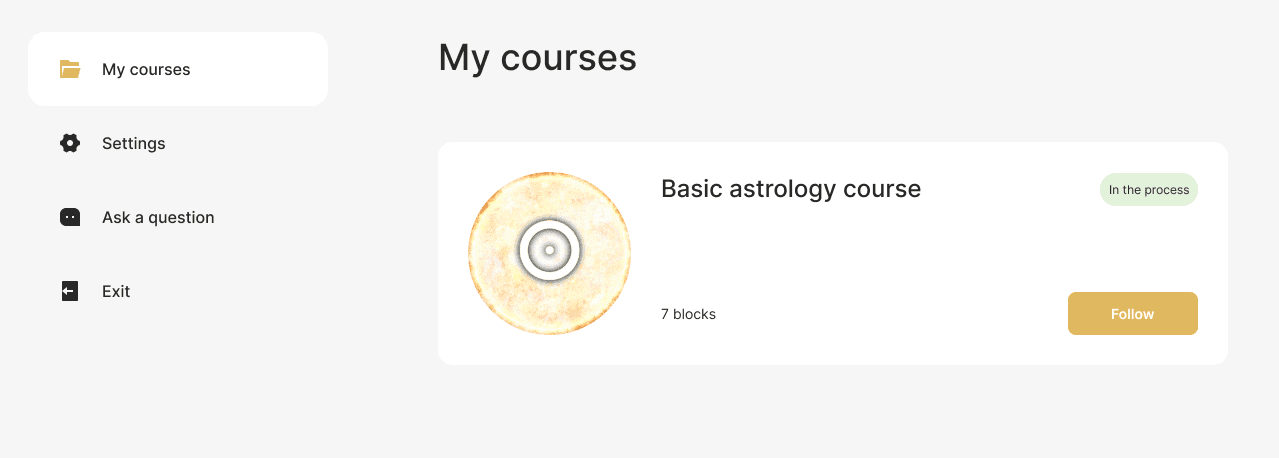
In the zero block, students get acquainted with the instructions, the offer agreement, the schedule and can view the introductory webinar.
In the training blocks, students have direct access to the material for work. These are text and video lectures, webinars and other content at the discretion of the teacher.
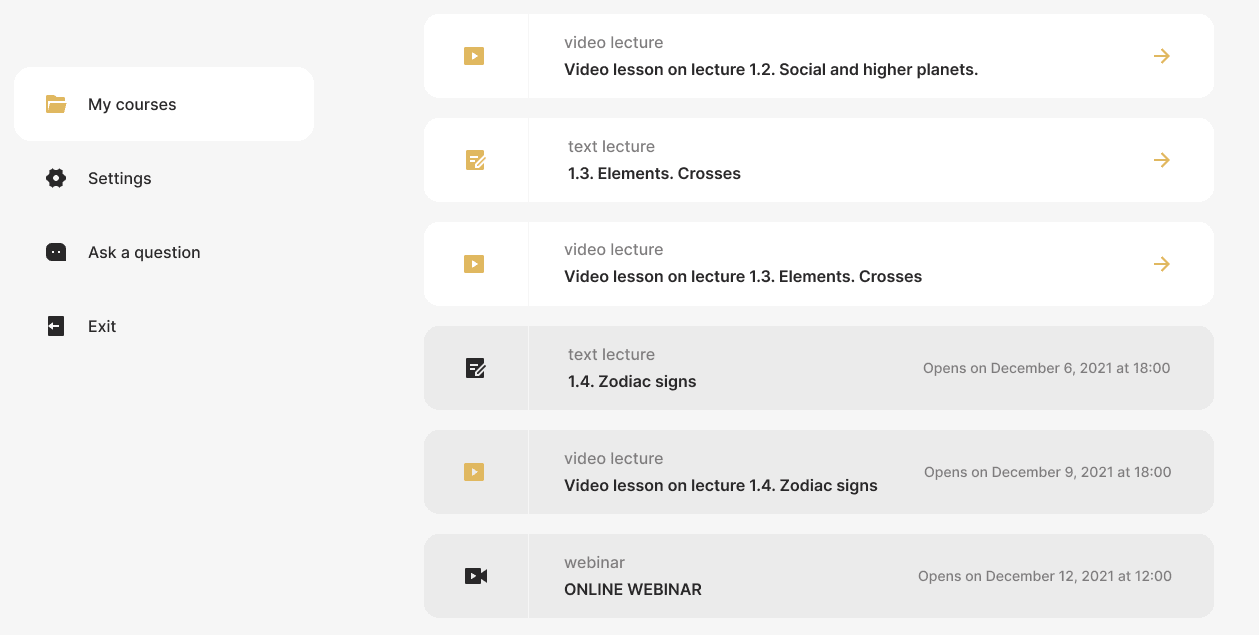
In blocks with lectures, it is also possible to download homework and a form for submitting already completed work - both a window for text and the ability to attach files are provided.

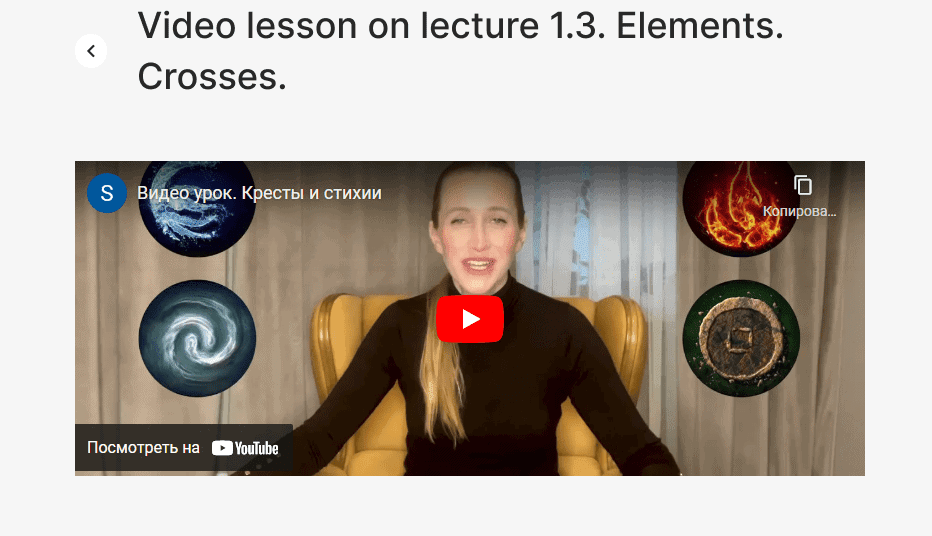
Students can also watch video lectures using the YouTube widget directly in their personal account.
From the main page of the personal account, users can get to several other sections. One of them is «Settings», in which you can fill out a personal profile: add a photo, register an e-mail, or change your login password.

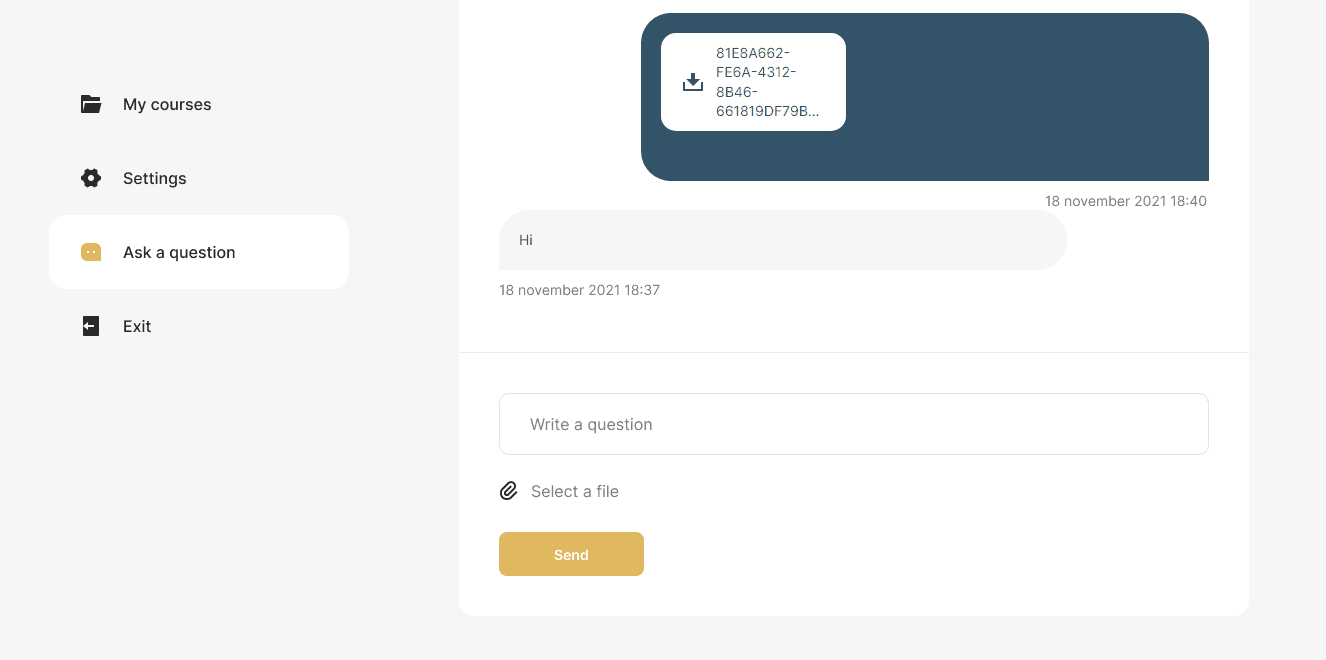
There is also an «Ask a question» tab to keep in touch with the teacher. It has a messenger in which you can exchange messages and attach files.
We also duplicated all three pages of the PA into a drop-down list that opens in the header of the personal account near the student's nickname.
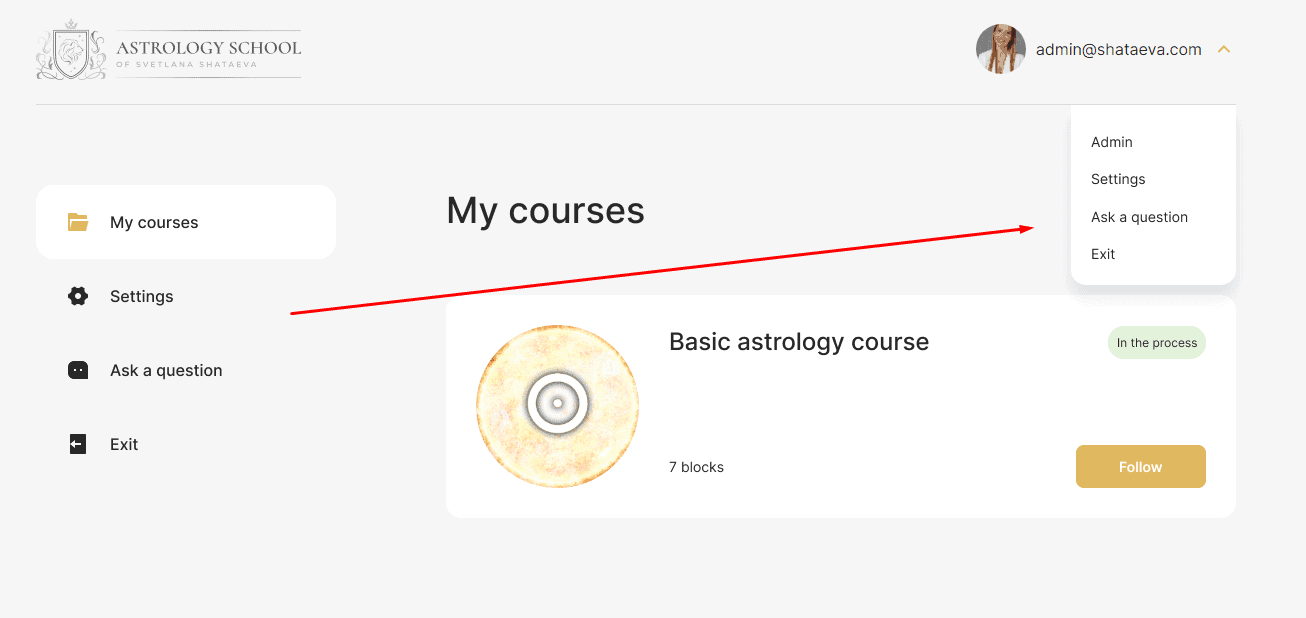
Administrator (teacher) personal account: functional solutions
Getting into the «admin panel», the teacher gets full access to all the necessary functions and settings.
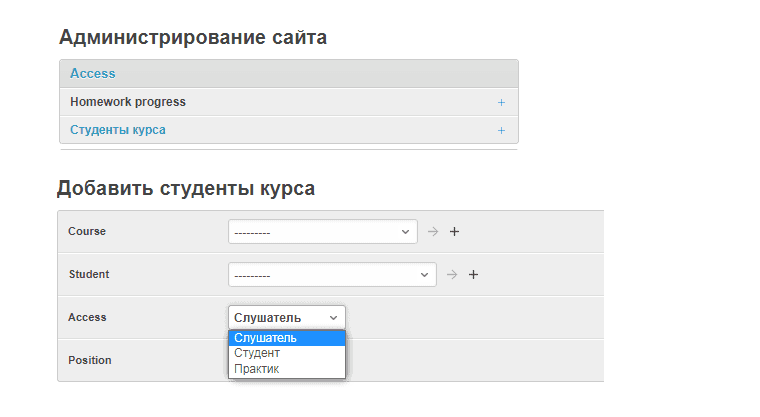
Access settings and homework
In the Access tab, you can open access to one of three rates for the course: «Listener», «Student» or «Practitioner».
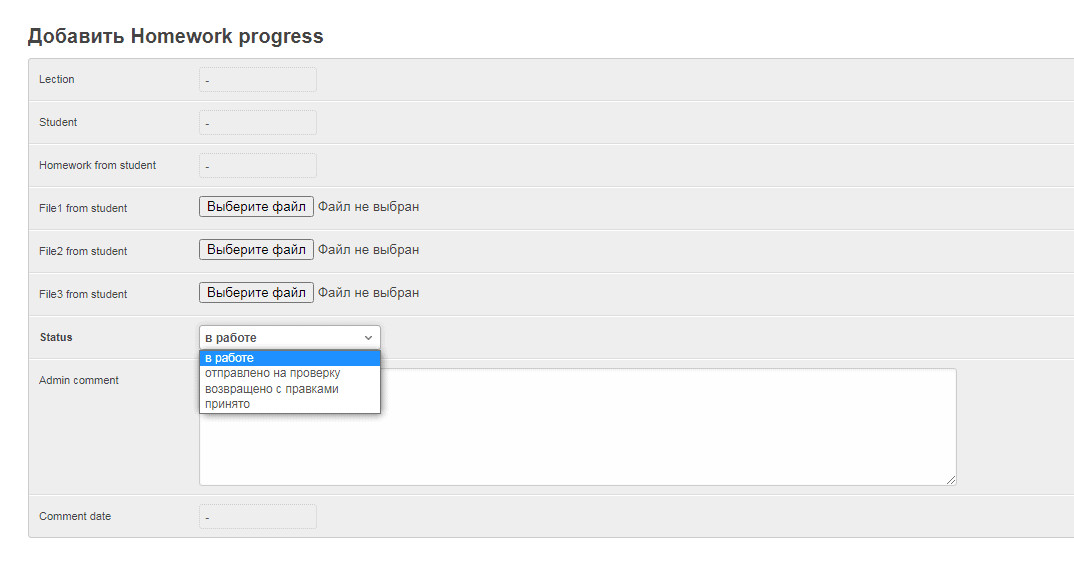
Here you can also create homework assignments with one of four statuses: «In progress», «Submitted for review», «Returned with revisions», and «Accepted». This solution allows you to do quality work on assignments without resorting to third-party resources and instant messengers — everything happens exclusively in the personal account.
User Chat
The Chat >> User chats tab allows the teacher to create a chat with a student of their choice. You can also attach files here.

Courses: Easy Administration
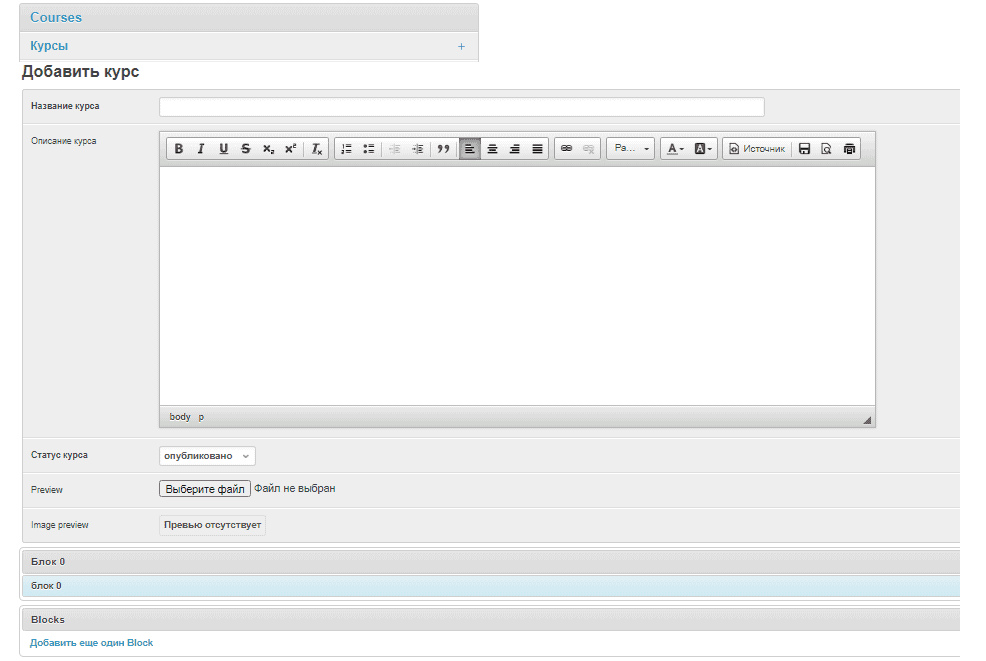
Another tab «Courses» was created to manage courses and information base. In just a couple of clicks, you can create a course — for this, an intuitive visual editor is provided with all the necessary buttons marked with familiar icons. It is possible to download Preview (preview) and add blocks.
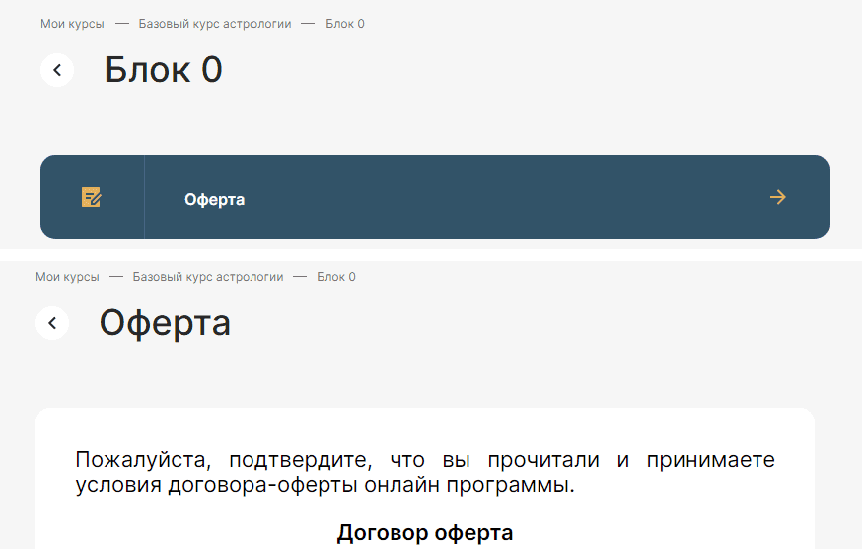
In the «General data» tab, you can add materials that are not educational, for example, an offer agreement or instructions for purchasing a course program. These materials will be duplicated for different courses and will not need to be added again when creating a new course. It also provides a convenient visual editor. In the same section, you can add links to videos from YouTube and VIMEO video hosting sites or a link to a ZOOM webinar.
For example, adding the offer text in the teacher's account looks like this:

This is how the finished material is displayed in the student's account:
And in the «Students» tab, all the necessary data about the students of the course is stored.

«My Actions»: Safety and Convenience
In a separate column, we took out the history of actions in the teacher's personal account. This not only allows you to control the possibility of unauthorized access to course materials, but also, if necessary, will remind the administrator where he left off while working in the account.

Summary
As you can see, the possibilities of the Webnauts team are very wide if not unlimited. We are able to «speak» various programming languages and use them to achieve different goals and solve even the most complex technical problems. The development of a personal account for a teacher and a student for an online school of astrology is irrefutable proof of this. The first students are already evaluating the quality of our work, and we are ready to help create and set up a similar training system for other clients.
[post_title] => Student's Personal Account for Online School [post_excerpt] => [post_status] => publish [comment_status] => open [ping_status] => closed [post_password] => [post_name] => students-personal-account-for-online-school [to_ping] => [pinged] => [post_modified] => 2023-09-18 10:13:14 [post_modified_gmt] => 2023-09-18 07:13:14 [post_content_filtered] => [post_parent] => 0 [guid] => https://wnauts.com/?post_type=project&p=13463 [menu_order] => 0 [post_type] => project [post_mime_type] => [comment_count] => 0 [filter] => raw ) )Worked on
-

Student’s Personal Account for Online School
-
Team:
3
-
Cases:
0
-
Reviews:
0
-
