


Svetlana Shatayeva
Astrologer and Astrology School

01
/ 02
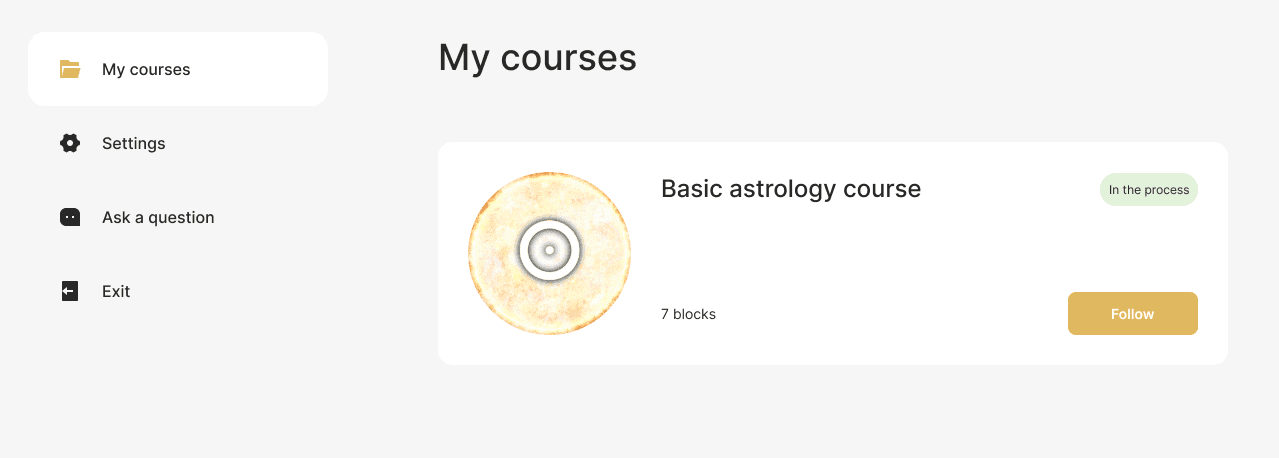
In the zero block, students get acquainted with the instructions, the offer agreement, the schedule and can view the introductory webinar.
In the training blocks, students have direct access to the material for work. These are text and video lectures, webinars and other content at the discretion of the teacher.
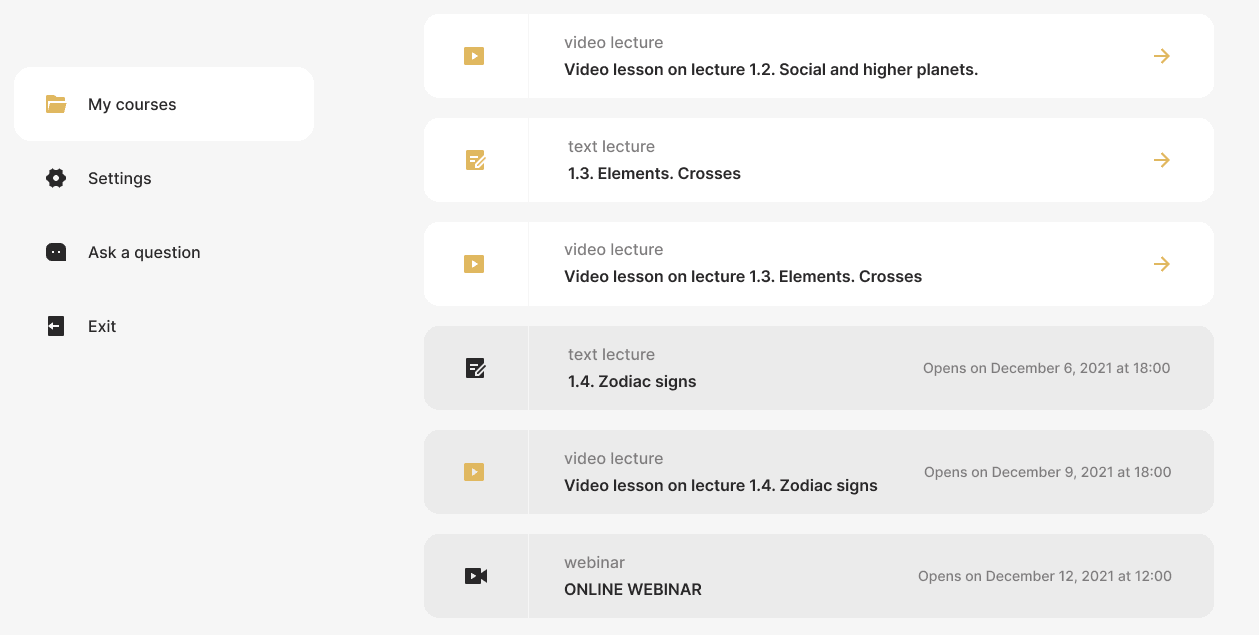
In blocks with lectures, it is also possible to download homework and a form for submitting already completed work - both a window for text and the ability to attach files are provided.

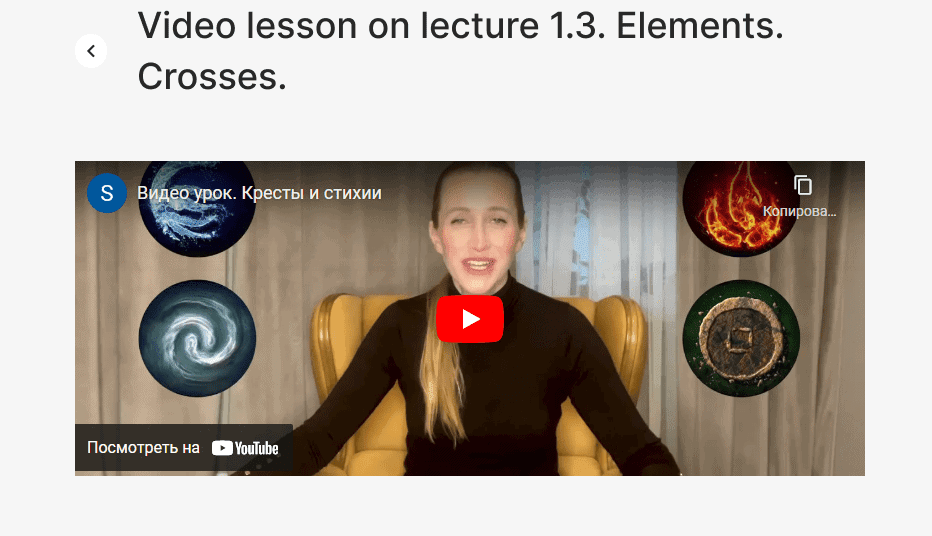
Students can also watch video lectures using the YouTube widget directly in their personal account.
From the main page of the personal account, users can get to several other sections. One of them is «Settings», in which you can fill out a personal profile: add a photo, register an e-mail, or change your login password.

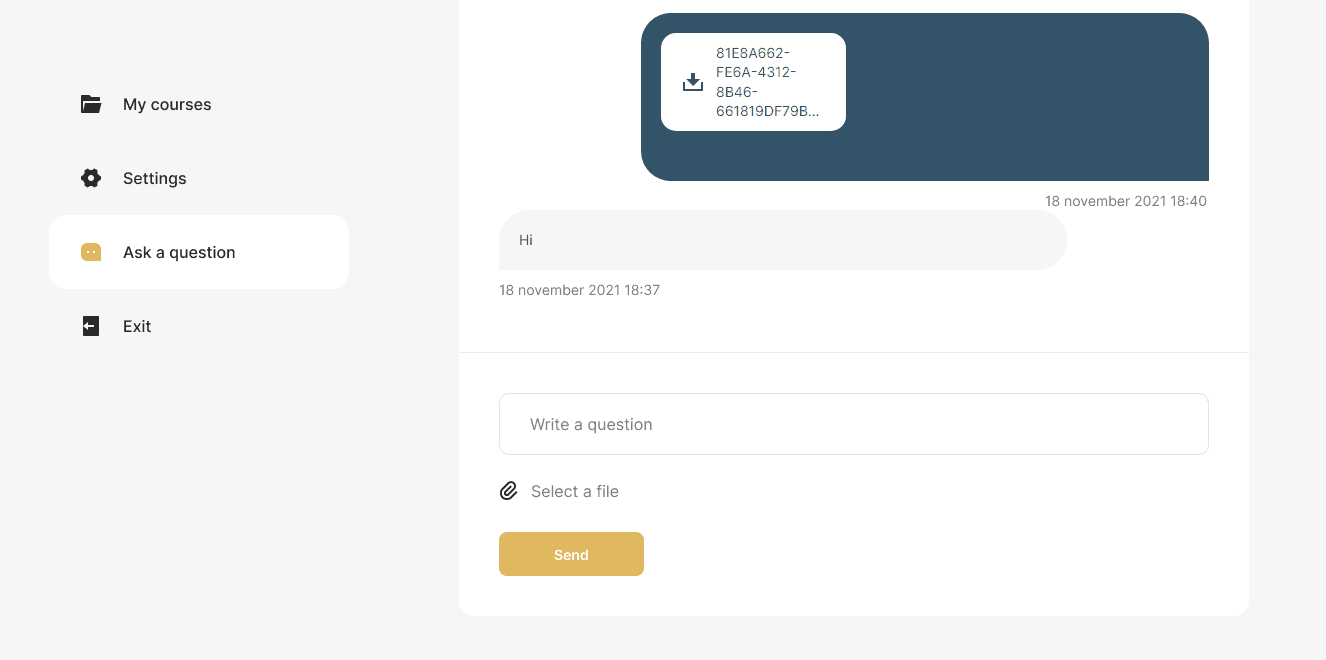
There is also an «Ask a question» tab to keep in touch with the teacher. It has a messenger in which you can exchange messages and attach files.
We also duplicated all three pages of the PA into a drop-down list that opens in the header of the personal account near the student's nickname.
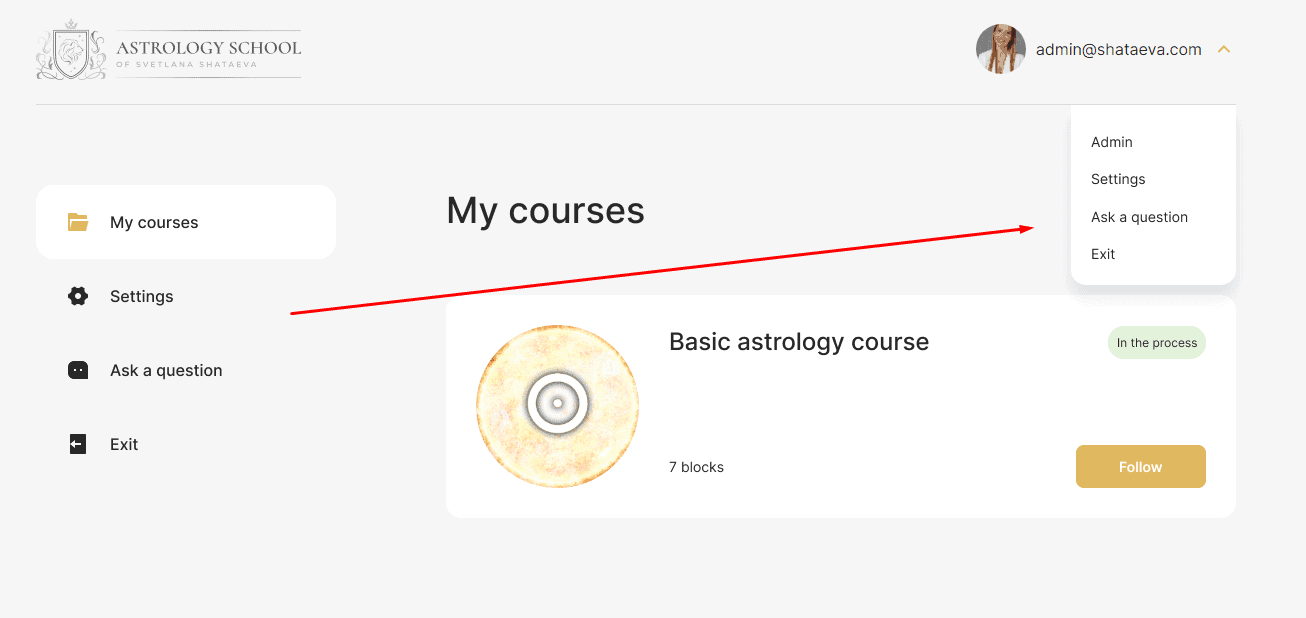
Administrator (teacher) personal account: functional solutions
Getting into the «admin panel», the teacher gets full access to all the necessary functions and settings.
Access settings and homework
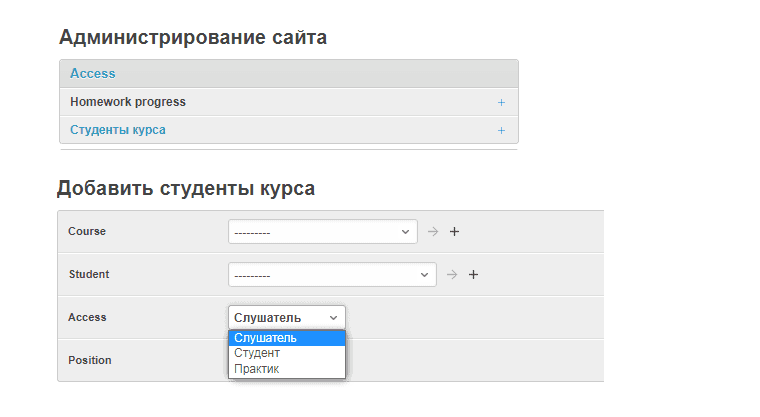
In the Access tab, you can open access to one of three rates for the course: «Listener», «Student» or «Practitioner».
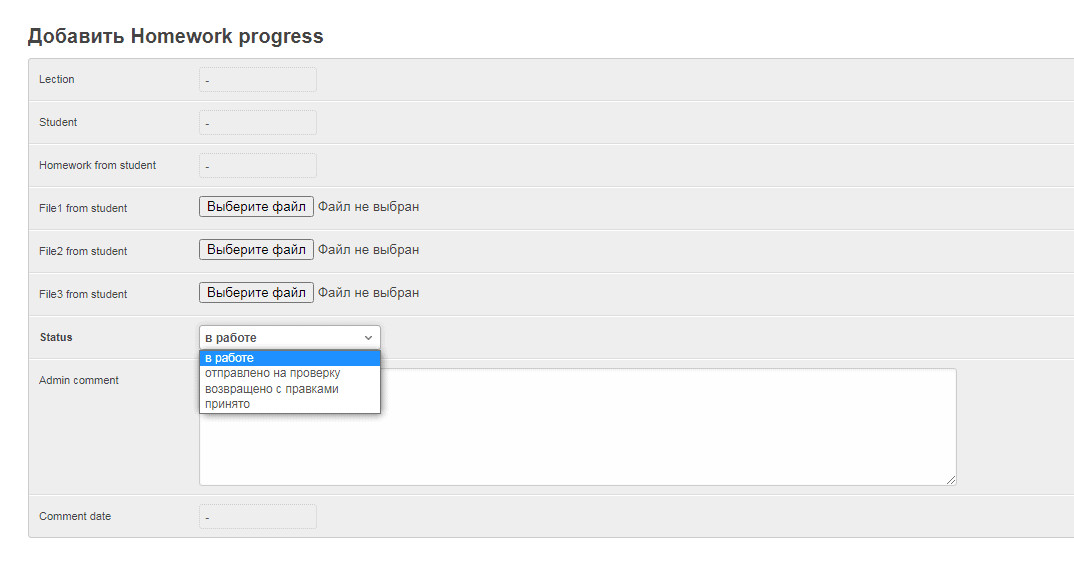
Here you can also create homework assignments with one of four statuses: «In progress», «Submitted for review», «Returned with revisions», and «Accepted». This solution allows you to do quality work on assignments without resorting to third-party resources and instant messengers — everything happens exclusively in the personal account.
User Chat
The Chat >> User chats tab allows the teacher to create a chat with a student of their choice. You can also attach files here.

Courses: Easy Administration
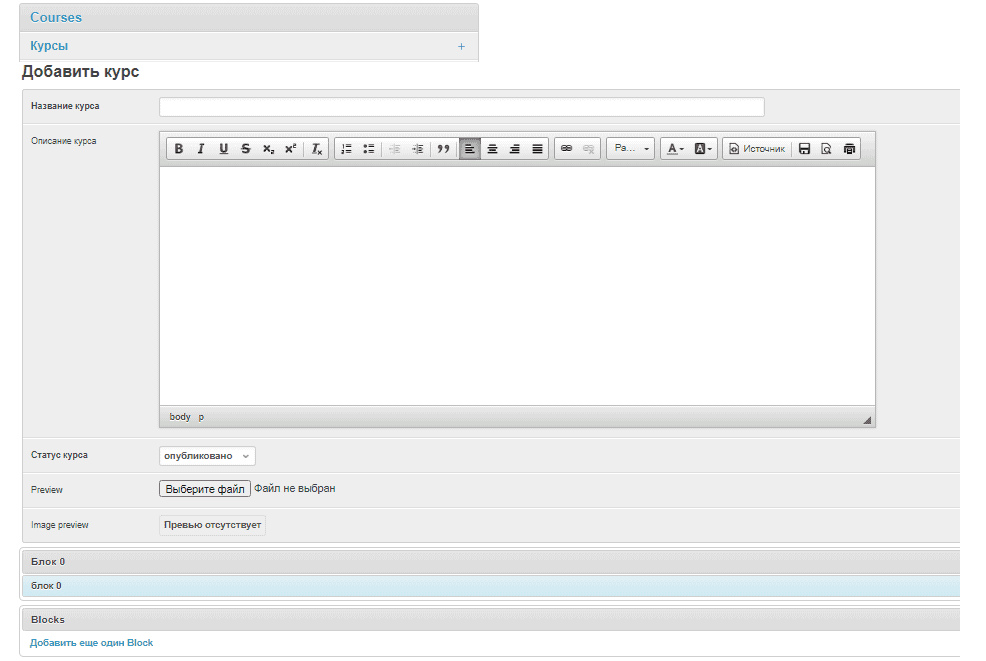
Another tab «Courses» was created to manage courses and information base. In just a couple of clicks, you can create a course — for this, an intuitive visual editor is provided with all the necessary buttons marked with familiar icons. It is possible to download Preview (preview) and add blocks.
In the «General data» tab, you can add materials that are not educational, for example, an offer agreement or instructions for purchasing a course program. These materials will be duplicated for different courses and will not need to be added again when creating a new course. It also provides a convenient visual editor. In the same section, you can add links to videos from YouTube and VIMEO video hosting sites or a link to a ZOOM webinar.
For example, adding the offer text in the teacher's account looks like this:

This is how the finished material is displayed in the student's account:
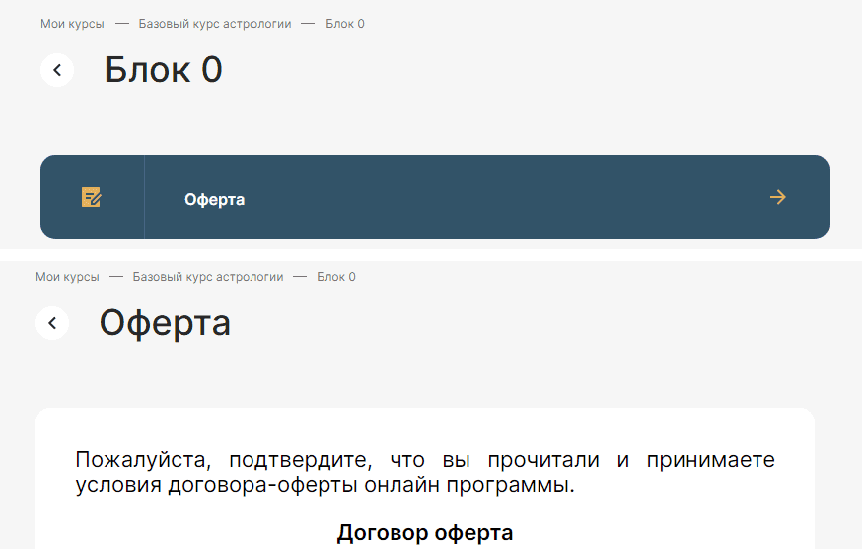
And in the «Students» tab, all the necessary data about the students of the course is stored.

«My Actions»: Safety and Convenience
In a separate column, we took out the history of actions in the teacher's personal account. This not only allows you to control the possibility of unauthorized access to course materials, but also, if necessary, will remind the administrator where he left off while working in the account.

Summary
As you can see, the possibilities of the Webnauts team are very wide if not unlimited. We are able to «speak» various programming languages and use them to achieve different goals and solve even the most complex technical problems. The development of a personal account for a teacher and a student for an online school of astrology is irrefutable proof of this. The first students are already evaluating the quality of our work, and we are ready to help create and set up a similar training system for other clients.
[post_title] => Student's Personal Account for Online School [post_excerpt] => [post_status] => publish [comment_status] => open [ping_status] => closed [post_password] => [post_name] => students-personal-account-for-online-school [to_ping] => [pinged] => [post_modified] => 2023-09-18 10:13:14 [post_modified_gmt] => 2023-09-18 07:13:14 [post_content_filtered] => [post_parent] => 0 [guid] => https://wnauts.com/?post_type=project&p=13463 [menu_order] => 0 [post_type] => project [post_mime_type] => [comment_count] => 0 [filter] => raw ) [1] => WP_Post Object ( [ID] => 15891 [post_author] => 10 [post_date] => 2023-04-17 15:06:22 [post_date_gmt] => 0000-00-00 00:00:00 [post_content] =>About the project
We were approached by an astrologer-practitioner Svetlana Shataeva, the founder of the School of Astrology. We have been working with Svetlana for several months in the direction of SMM, and now she has a need to create a School of Astrology, where she could share her experience and accumulated knowledge with beginners.
The team of Webnauts set off to surf the web space to solve this task which is profile for us.
The objective
We had to develop a website for the school of astrology — for selling courses to novice astrologers. We had to not only create an informative website describing the services of the school, but also provide for the possibility of registering for training, as well as buying a training package of your choice.
Solution
Together with the customer, we decided to develop a landing page with an individual design and functionality that would allow recruiting students to study at the school of astrology. How did we do it? Read on.
Individual design
When developing a site, you can go one of two ways: choose a template option or develop an individual design. We have relied on an individual approach, which differs from the template in such advantages:
- The absence of any compromises on the structure and appearance of web pages, completely individual design development for the needs of a particular client and his audience, which means the highest possible conversion.
- Emphasis on the status of the project, the exclusive and completely unique look of the site.
- Adds to brand awareness.
- Higher performance due to the absence of redundant code and compromises in implementation.
Template sites also have their advantages, the main of which are the price and speed of development. But a more expensive site allows you to raise prices for services or goods, which means it is fully justified.
We took into account the specifics of the industry and the client's big plans for the development of the project, because for such a specific area as astrology, there are not so many suitable templates. Therefore, having weighed all the pros and cons, we began to develop an individual design, taking into account the requests and wishes of the client.
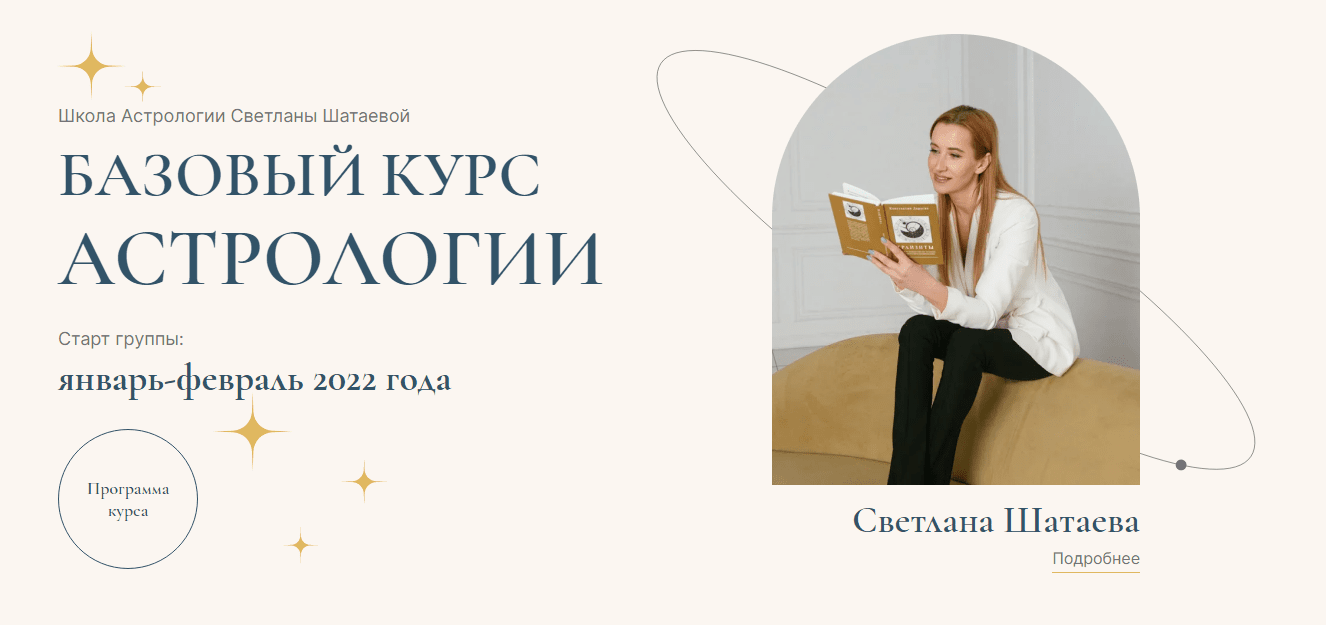
We developed unique «interplanetary» graphics, conquered «space» animation and used unobtrusive «galactic» widgets.
Even without a Barlow lens, you can see the smallest details of the meticulous work of our designers. This is the «movement of the planets in orbit» around the headlines, and the «glare of distant stars» Betelgeuse and Aldebaran.
Studying the information about how the course is going, each user of the site can try themselves as a constructor of the Universe and «play» with Venus, Saturn and other planets.
We also approached the color scheme of the site reasonably. By looking into a study by an international team of astrophysicists, published in The Astrophysical Journal, we have learned the alleged color of our universe. It turned out to be a pale brown shade, reminiscent of the color of coffee with cream. Scientists call it «cosmic latte», and we have adopted this color as the main one on the site.
The designers complemented the overall color ensemble with a golden starry color and a hint of a sea wave in honor of our blue planet. We have moved away from the already boring astrological colors: purple and pink, creating our own unique astro-palette.
The structure
The next stop on our "web space mission" was a clear landing page structure. Design and structure are interrelated things, so we started working with UX - first we worked out page prototypes, approved them with the client, and then proceeded to the style, concept and creation of a full-color design layout.
We did not just create a random list of information blocks, but analyzed competitor sites, including foreign ones. As a result, we provided a logical sequence of information, according to key marketing strategies and sales funnels.
Texts
We wrote effective selling and informational text blocks, which were evenly distributed throughout the site, paying attention to the smallest moments, best selling practices and just common sense.
Popup windows
In order not to overload the site, we have hidden some of the information behind pop-up windows and drop-down text. In particular, this applies to training options and the list of results that students will receive after training. In the form of a drop-down text, we also designed a list of frequently asked questions.
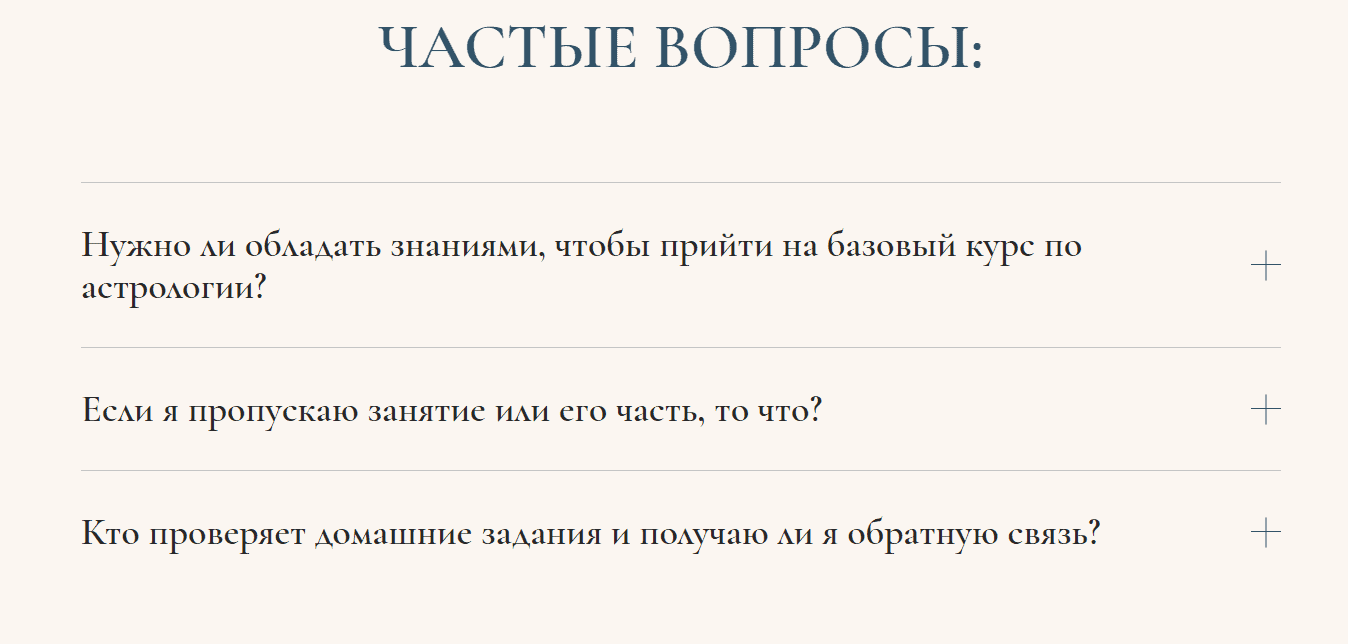
A pop-up window also appears if you click the «Learn more» button in the block about the founder of the school.
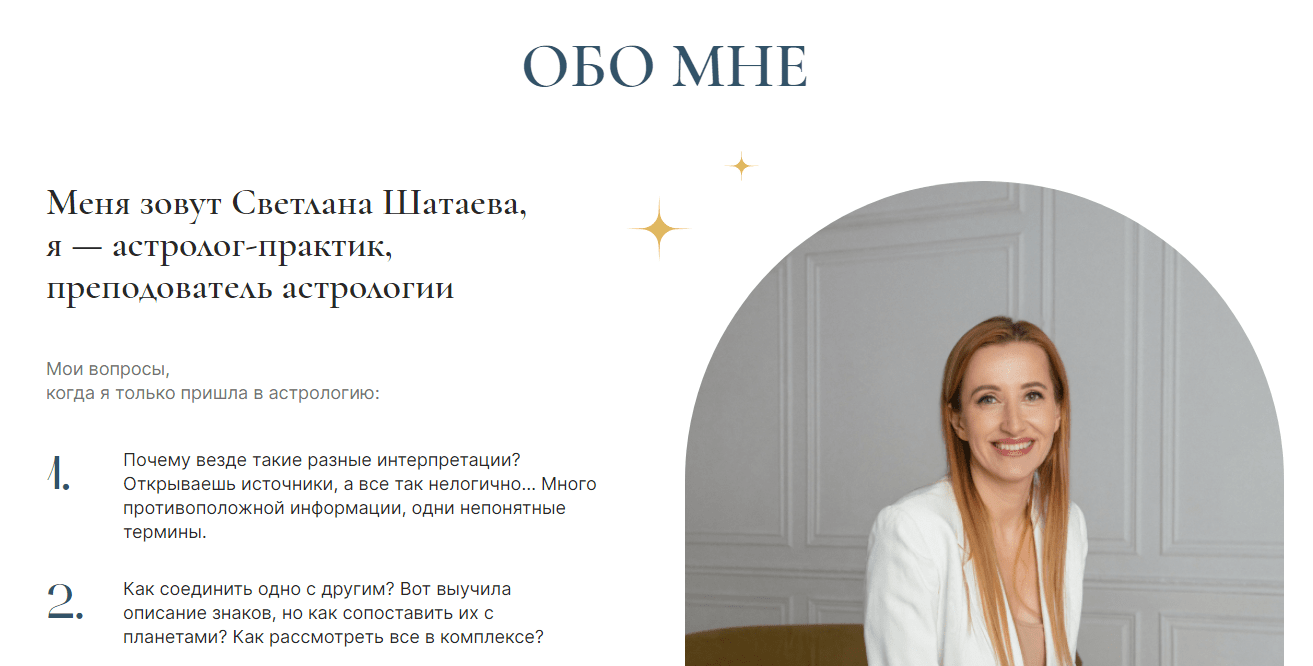
By exactly the same principle, a form for enrolling in a course appears if you click the «I want to take a course» button in the block with training options.
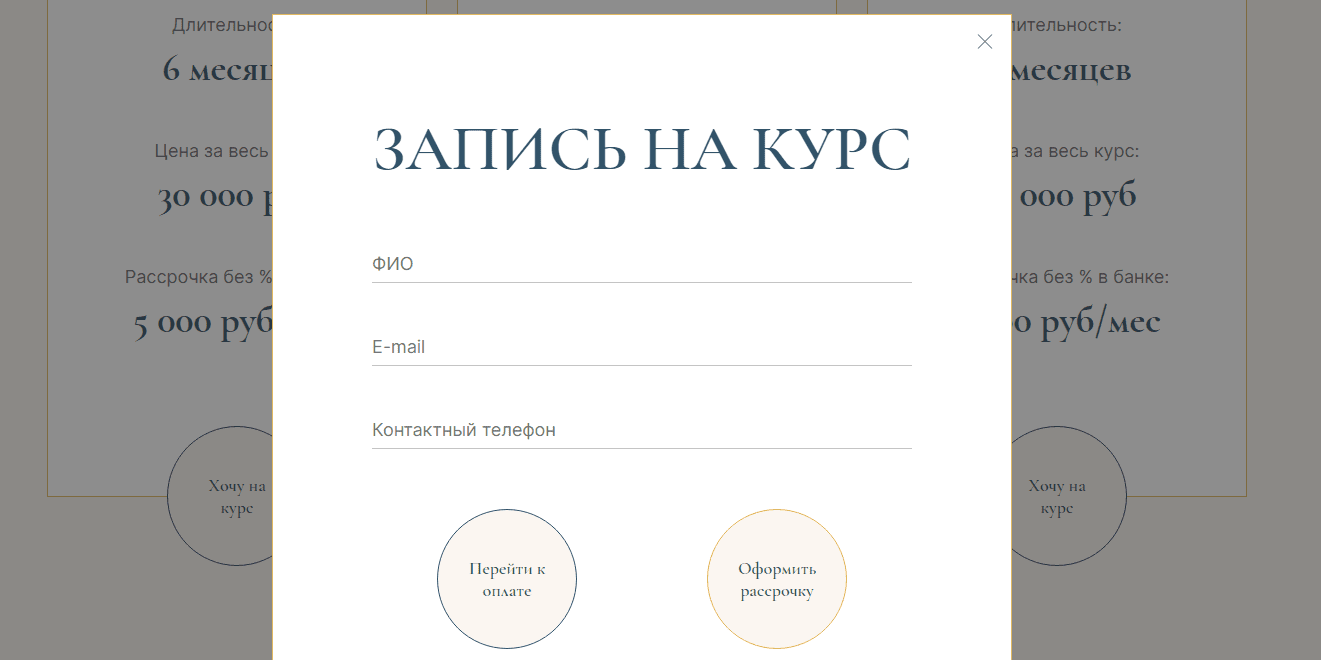
Such solutions of our designers and coders saved the site from text overload and allowed to place all the necessary information on the page. After all, conciseness is the basis of the microcosm, even if we are talking about a website.
Payment and installment
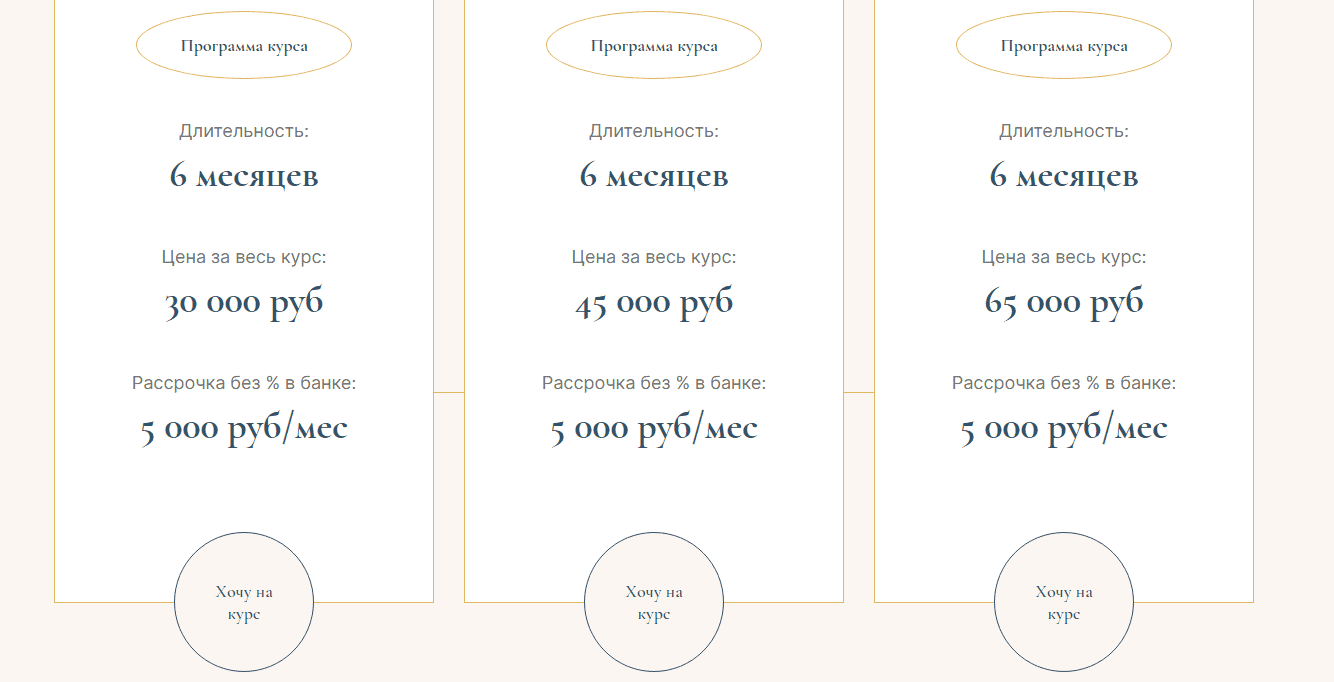
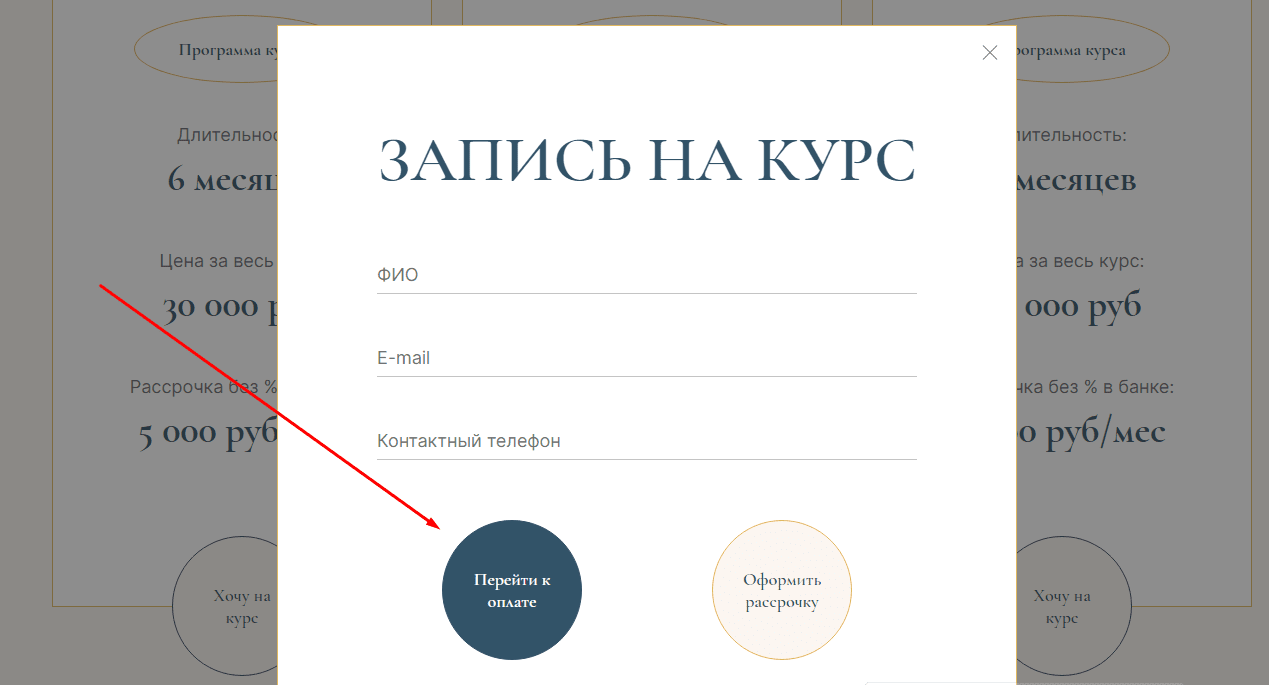
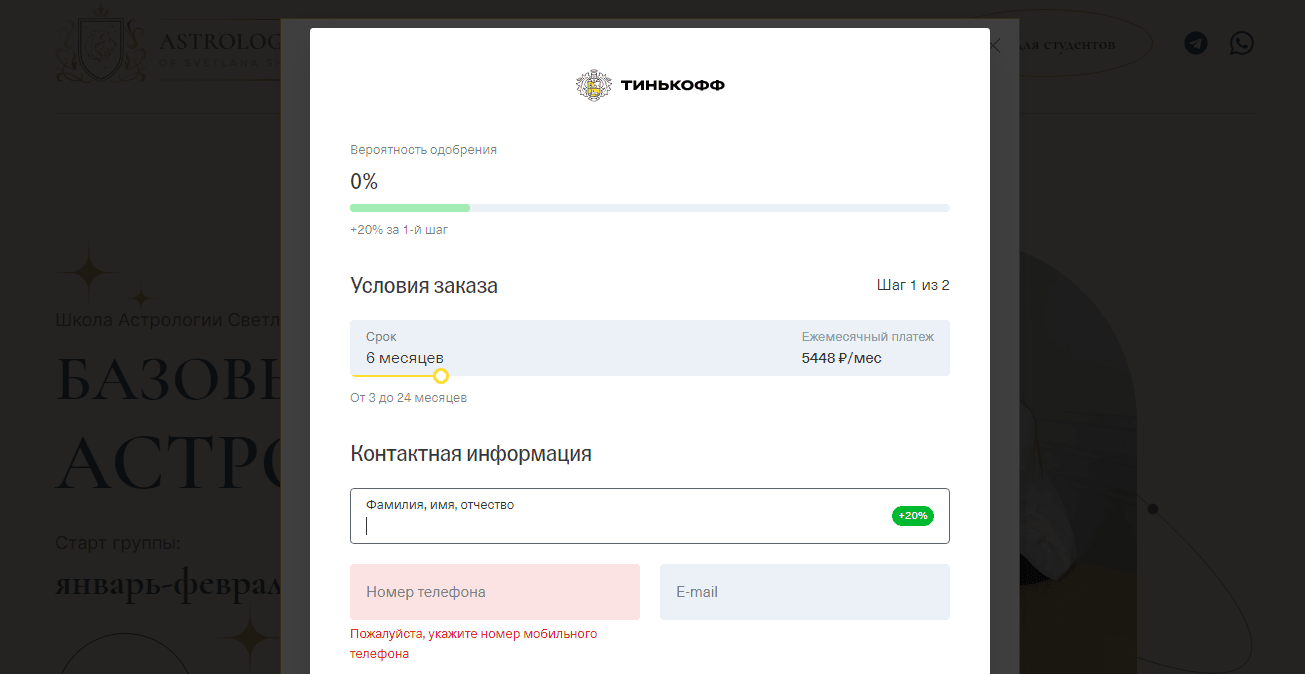
We were given another task: to add the ability to pay for the course on the site. We have implemented widgets for payment on the website - 3 options in accordance with the cost of each course tariff. To proceed to payment, just click the "I want to join the course" button, fill out a short form and proceed to the payment process.
01
/ 02
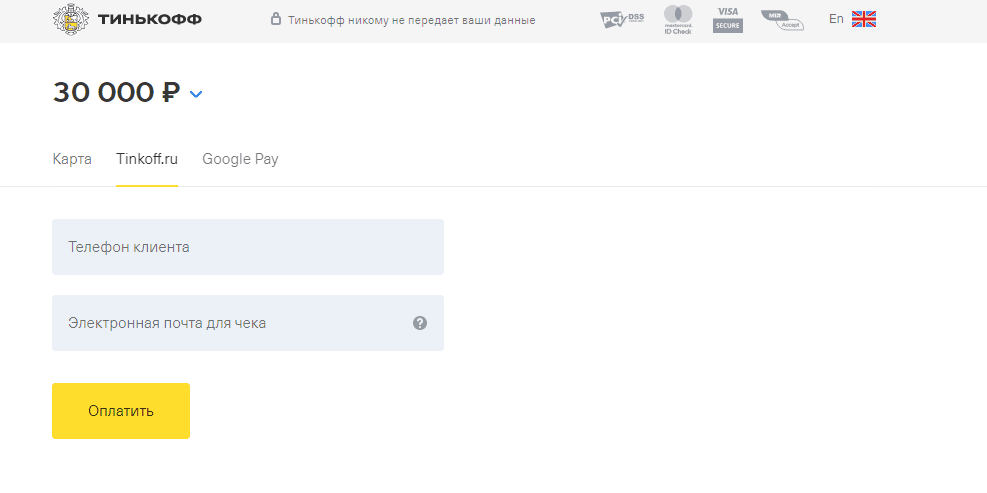
In addition to the standard payment for the course, we have connected the possibility of installment payment. For each tariff — a separate window with the possibility of payment or installments. As a payment system, we have integrated a widget from Tinkoff Bank.
01
/ 02
Course curriculum in PDF
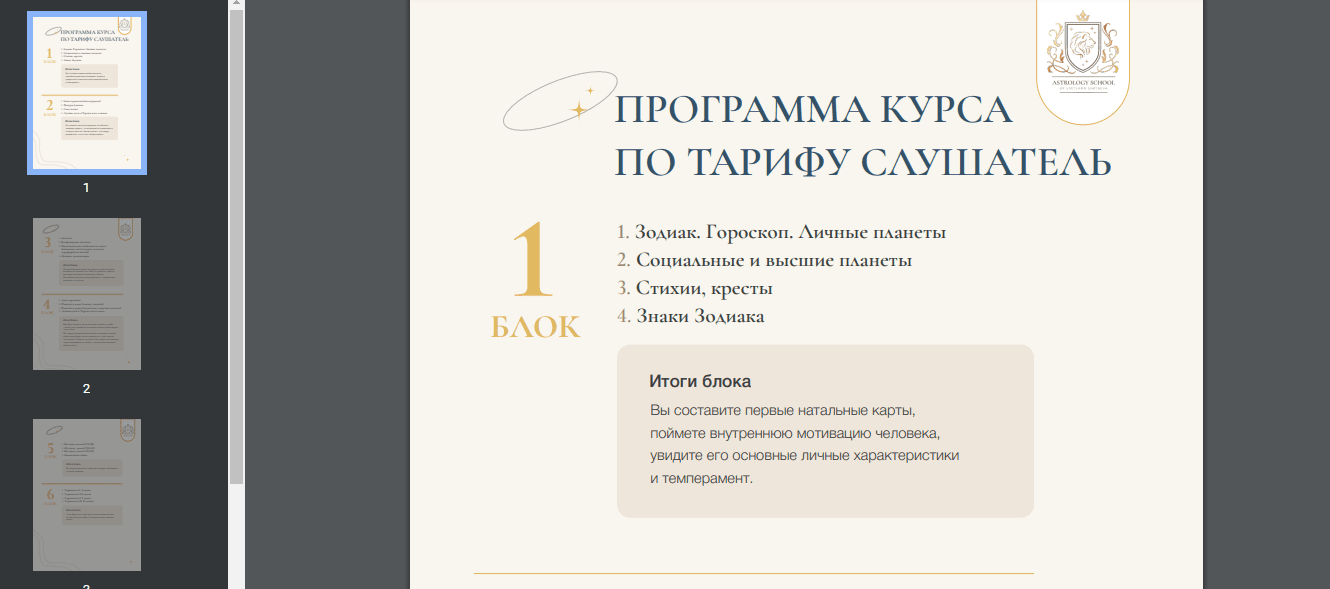
The site provides three packages of courses, the programs of which can be downloaded in PDF format. This document was also generated by our designers. This is not just a white sheet with Times New Roman text, but a stylized and illustrated file that can be saved on any device and even printed.
Logo development
As part of the design work of the site, we also developed the logo of the school of astrology. The main element of the logo was Leo (probably the zodiac sign of the founder of the school). The finished logo is a well-thought-out heraldry with integral elements of the emblem: a heraldic crown located above the shield. We took into account the corporate identity and set a certain medieval flair for this story.

Personal account
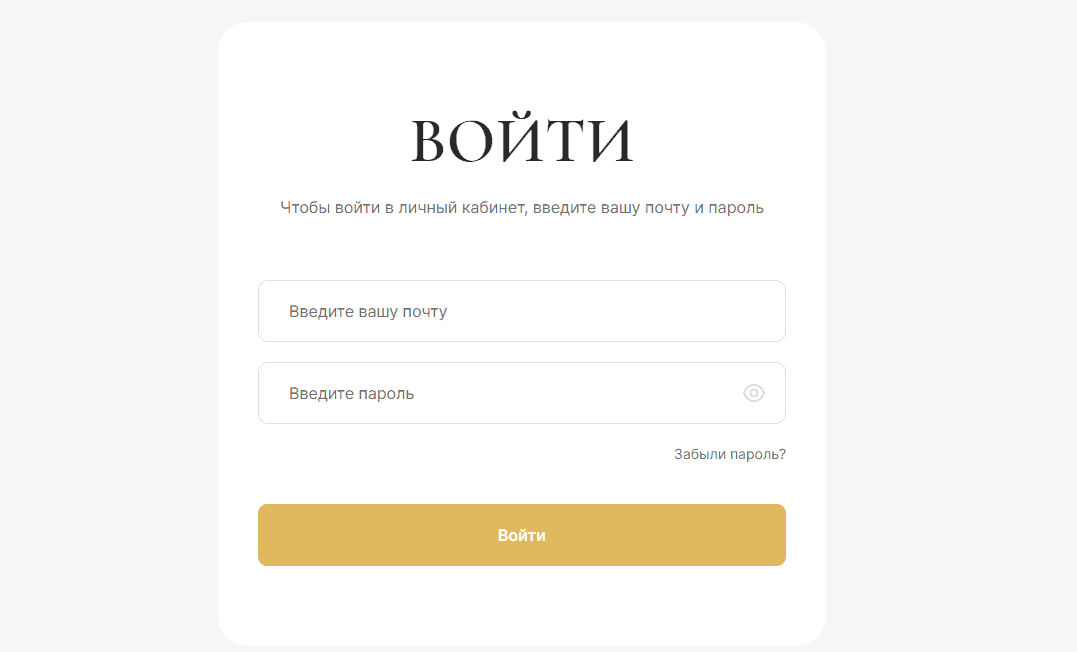
For convenient training of students, a personal account was needed on the site. We have provided a special button in the header of the site, which leads to the authorization page.
Responsiveness
Of course, we have provided the maximum adaptability of the site for all common devices, including smartphones. The site is easy and convenient to read from both large monitors and small screens, while maintaining its information content and unique design.
The summary
As a result, the «star mission» was completed by the Webnaut team for 10 out of 10. We followed all the wishes and recommendations of the customer and synchronized every step with the client. We studied competitors, analyzed the successful experience of other online schools — their content, structure and design of sites.
The finished product is based on a deep analysis of competitive advantages and the study of user behavior. In this particular case, this ensures the highest possible conversion.
Client projects
-

Student’s Personal Account for Online School
-
Team:
3
-
Cases:
0
-
Reviews:
0
-
